Why the build is the dangerous part on a 1 GB VPS
Serving a Next.js app on a 1 GB box is fine. Building one there takes your live site down with it. Build locally, ship an artifact, and prove the bytes you shipped are the bytes being served.

In this article (4 sections)
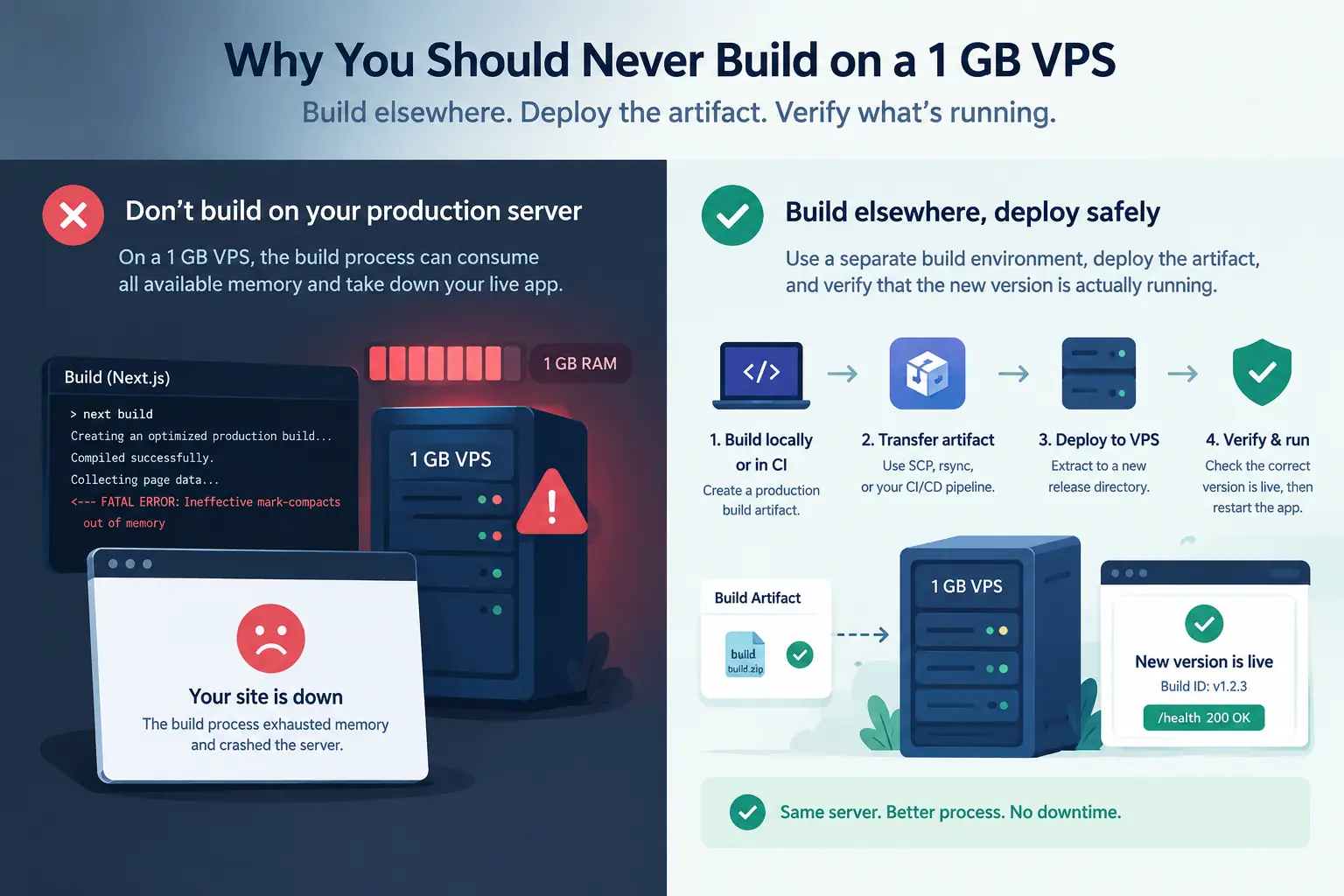
A 1 GB VPS is a perfectly good web server. It is a terrible build machine. The difference matters because the failure mode is not a failed build — it is your live site going down while the build runs.
Why the build is the dangerous part
Serving a Next.js app is cheap: the standalone server idles at roughly 80–120 MB. Compiling one is not. Type-checking, bundling and minification hold the whole module graph in memory at once, and peak usage routinely passes 1.5 GB.
On a box with ~950 MB of usable RAM, that peak has nowhere to go. The kernel's OOM killer picks a victim by memory footprint, and the largest process on the machine is usually the Node server already answering requests. Your build dies, your site dies with it, and pm2 list shows a restart loop you have to go read logs to understand.
Build locally, ship an artifact
The fix is to stop treating the server as a development environment. Build where you have RAM, then move only the output:
# on your laptop
npm run build
tar -czf app.tar.gz .next public package.json next.config.js
scp app.tar.gz server:/tmp/
ssh server 'cd /var/www/app && tar -xzf /tmp/app.tar.gz && pm2 restart app'
Three things make this work well in practice:
Exclude
.next/cache. It is build-time scratch, often larger than the app itself. Dropping it took one of my deploys from ~180 MB to 27 MB.Match the Node major version between laptop and server. A different major produces a subtly different bundle, and
nvm usesilently fails when anothernodesits earlier inPATH— checknode -vafter switching, never before.Keep one backup tarball on the server. Rollback becomes extract-and-restart instead of a full rebuild under pressure.
Verify the new code, do not infer it
A green deploy script proves nothing. A bumped version number, a PM2 table showing online, and a 200 on / are all equally consistent with the old bundle still being served after a restart that reused stale files.
Pick a string that this release introduced and that the previous one did not contain, then grep the deployed bundle for it:
ssh server 'grep -c myNewFunction /var/www/app/.next/standalone/.next/server/app/api/thing.js'A non-zero count is cheap, direct proof. Everything else is a guess wearing a green checkmark.
The rule
Give the server one job. Let it serve. Build somewhere with memory to spare, ship the smallest artifact that runs, and prove the bytes you shipped are the bytes being served.